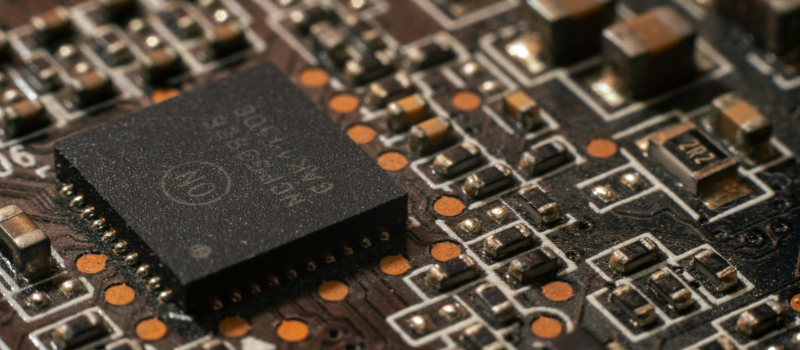
The motherboard is the starting point of any computer. Although attention is often focused on the processor or the graphics card, the motherboard is the component that connects, coordinates, and allows everything to run stably. Without proper compatibility between the processor and the motherboard, performance is limited and technical problems can even arise from the first boot.
This definitive guide to acquiring a motherboard compatible with your processor and budget comes with a clear objective: to help you make an informed decision, avoiding common mistakes and unnecessary costs. It’s not just about checking the socket type. The chipset, supported memory, expansion options, component quality, and the possibility of future upgrades also matter. Every detail counts when you’re looking for a balanced system prepared to last several years.
Moreover, budget plays a key role. Spending more money does not always guarantee better results if the configuration is not well balanced. That’s why, here you will find practical criteria to adjust the investment according to your real needs, whether for gaming, professional work, or home use.
If you want to ensure that your processor operates at its highest level and that your configuration has room to grow, this guide will offer you a clear, structured, and up-to-date view to make the best possible decision without unnecessary technical complications.
Processor compatibility: the first mandatory filter
Before analyzing ports, power phases, or connectivity, there is a basic condition that admits no errors: processor compatibility. If the motherboard and the CPU do not share essential technical standards, the system simply will not function. Therefore, this is the first filter you must carefully review.
It’s not enough that both components belong to the same brand. There are several factors that determine whether they can work together correctly and stably.
Socket: how to know what type you need
What is the socket
The socket is the physical connector where the processor is installed on the motherboard. It defines both the mechanical structure and the electrical distribution necessary for the CPU to receive power and communicate with the rest of the system.
Each socket is designed for specific processor families. They are not interchangeable. If the socket doesn’t match, installation is impossible, with no exceptions.
Common examples (AM5, AM4, LGA 1700, etc.)
- In AMD processors, some recent examples are AM4 and AM5. The former was widely used for several generations of Ryzen, while AM5 is the most current platform oriented to new architectures and DDR5 memory.
- In the case of Intel, LGA 1700 has been used in recent generations such as Alder Lake and Raptor Lake. Each socket transition usually marks a major change in architecture, power consumption, or support for new technologies.
Correctly identifying the processor socket is the mandatory starting point.
How to verify exact compatibility
The most reliable way to confirm compatibility is to check the official technical specifications from the motherboard manufacturer. There it specifies the supported socket and the list of validated processors.
It is also advisable to consult directly the processor’s official page, where the required socket type is indicated. Cross-check both data points before making any decision.
Chipset: what it is and why it matters
The chipset is the set of controllers that manage the communication between the processor, memory, storage, and expansion slots. Even if two boards share the same socket, they can offer very different capabilities depending on the chipset installed.
Differences between basic, mid-range, and advanced chipsets
- The basic chipsets tend to be aimed at simple configurations. They offer fewer PCIe lanes, fewer USB ports, and limited expansion options.
- The mid-range balance cost and performance, allowing greater connectivity and better support for demanding configurations.
- The advanced ones are designed for users seeking additional features such as more PCIe lanes, better overclocking options, more M.2 slots and expanded connectivity.
Limitations by tier
A budget chipsets may restrict the RAM speed, limit the number of NVMe devices, or reduce future expansion capacity. Even if the processor is powerful, the environment created by the chipset can constrain its real use.
Relation between chipset and available features
Features like overclocking, multiple PCIe slots at maximum speed, or a higher number of USB ports depend directly on the chipset. Therefore, it isn’t enough to check the socket; you need to analyze what level of performance the motherboard offers.
BIOS and generation support
Even if the socket and chipset match, there may be an additional detail: the BIOS version. Some boards require an update to recognize processors from newer generations.
Possible update problems
If the BIOS is not updated, the system might not boot. In some cases, a compatible prior processor is needed to perform the update, which complicates the process.
How to check the list of compatible CPUs
Each manufacturer publishes an official list of compatible CPUs in the support section of the specific model. There it indicates which BIOS versions enable each processor.
Set your budget before deciding
Before focusing on technical specifications, it’s wise to establish a realistic budget. The motherboard should fit into a balanced configuration, not absorb a disproportionate part of the total expense. A smart allocation allows you to better leverage the processor’s performance and the rest of the components.
It’s not about spending the minimum possible, but investing wisely. Each price range offers different capabilities, and knowing them helps set expectations.
Budget range: what you can expect at each price level
Basic tier
Entry-level motherboards are designed for home, office, or simple configurations. They usually offer fewer USB ports, fewer M.2 slots and limited expansion options. The VRM is simpler, which makes them suitable for moderately demanding consumer processors.
They are a reasonable alternative when the goal is to assemble a functional PC without high performance demands or ambitious upgrade plans.
Mid-range
This segment represents the most interesting balance point. Here it is common to find better build quality, more connectivity, support for higher memory frequencies and better power phases.
For gaming or semi-professional work setups, the mid-range usually offers a very solid price-performance ratio. It allows room for growth without blowing the budget.
High-end
High-end motherboards incorporate advanced chipsets, more PCIe lanes, multiple M.2 slots, better cooling, and more complete tuning options. They are aimed at demanding configurations, overclocking, and workstations.
However, if the processor is mid-range or the use is basic, many of these features will go unused.
How to balance processor and motherboard without wasting money
A common mistake is pairing a powerful processor with a too-basic motherboard, which limits sustained performance. The opposite is also common: investing in a premium motherboard with a modest CPU.
The key is to maintain coherence between both components. A mid-range processor performs better when paired with a board of the same level. This ensures stability, adequate connectivity and expansion potential without paying for unnecessary features.
When is it worth investing a bit more
There are situations where a modest budget increase is strategic. For example, if a motherboard offers better VRM, more M.2 slots, or compatibility with future processor generations, it can extend the life of the system.
Key technical factors you should analyze
Once processor compatibility is confirmed and the budget is defined, it’s time to review the technical aspects that genuinely make a difference. Here is where it is determined whether the motherboard fits your current needs… and future ones.
Not all models offer the same, even if they share the socket or chipset. Details matter, and a lot.
Form factor (ATX, Micro-ATX, Mini-ITX)
The form factor defines the physical size of the motherboard and the arrangement of its components. The most common formats are ATX, Micro-ATX, and Mini-ITX.
Practical differences
- ATX is the standard format. It offers more PCIe slots, more ports, and better layout for high-performance systems. It is ideal if you plan multiple storage drives or additional cards.
- Micro-ATX slightly reduces the size, but maintains good expansion capacity. It is a balanced option for most home and gaming setups.
- Mini-ITX is designed for compact systems. Its space is limited, so it normally has a single PCIe slot and fewer connectors. It is suitable for small systems where size is a priority.
Case compatibility
Before deciding the form factor, check what sizes the case supports. Not all chassis support ATX motherboards. A physical mismatch can prevent mounting, even if everything else is correct
RAM compatibility
RAM directly affects system performance, and the motherboard determines what type and what speed can be used.
Memory type (DDR4 vs DDR5)
Some boards support DDR4 and others DDR5. They are not interchangeable. DDR5 offers higher bandwidth and energy efficiency, but it tends to cost more. The choice depends on the compatible processor and the available budget.
Maximum memory frequency
Each motherboard establishes an official maximum memory frequency. If faster modules are installed, they will be limited to the supported speed. Checking this data avoids wasting RAM potential.
Maximum capacity
It’s also worth checking how much total memory the model supports. Workstation or professional editing setups may require higher capacity than a home system.
Connectivity and available ports
Connectivity determines the versatility of the system.
USB and versions
Not only the number of USB ports matters, but also their version. USB 3.2 and above allow faster transfers, which is relevant for external drives or high-performance peripherals.
M.2 slots
M.2 slots allow installing NVMe SSDs. More slots mean greater future expansion capacity without taking up extra space.
SATA
Although NVMe SSDs are increasingly common, SATA ports remain useful for traditional hard drives or 2.5-inch SSDs.
PCIe (generations and lanes)
PCIe slots connect the graphics card and other expansion devices. The generation (PCIe 3.0, 4.0, or 5.0) influences the available bandwidth. For modern graphics cards and high-speed storage, having an up-to-date version is an advantage.
VRM quality and power phases
What is the VRM
The VRM (Voltage Regulator Module) is the system responsible for supplying stable power to the processor. It is composed of power phases that regulate the voltage.
Impact on stability and overclock
A quality VRM improves stability under heavy loads and reduces temperatures. In demanding configurations or with overclocking, this component is decisive. A poor design can cause instability or limit sustained CPU performance.
Network connectivity and extras
Ethernet
Most boards include an Ethernet port, but the speed may vary (1 Gb, 2.5 Gb, or higher). For fast networks, it is advisable to verify this specification.
Integrated WiFi
Some models include integrated WiFi, which avoids the need for additional adapters. It is especially useful in spaces where cabling is impractical.
Bluetooth
Bluetooth makes it easier to connect wireless peripherals without external devices.
Integrated audio
The quality of the audio chip can vary depending on the model. For professional use or gaming, a better-integrated audio system can make a difference without needing a dedicated sound card.
How to choose the best motherboard according to your use case: a guide
Not all configurations require the same type of motherboard, and that’s why it’s essential to analyze carefully before choosing an appropriate motherboard. The use you will give the system to should guide the final decision, whether you’re thinking of choosing the motherboard for gaming, productivity, or basic tasks. A gaming-oriented system does not have the same priorities as one intended for video editing or office tasks. Aligning the motherboard to the real purpose of the PC avoids unnecessary expenses and guarantees consistent performance, especially when comparing Intel and AMD or reviewing different generations of Intel and Ryzen processors.
In addition, you shouldn’t forget that the choice should align with other components such as the power supply and memory, whether DDR5 or DDR4 RAM. A balanced configuration between the processor, motherboard, and the rest of the hardware is key to achieving stability and durability.
Below are the most common scenarios and the aspects to prioritize in each case.
For gaming
In a gaming setup, stability and expandability are key when choosing a motherboard. It’s advisable to opt for a motherboard with good VRM, especially if a mid-range or high-end processor will be used, in both Intel and AMD configurations. This ensures stable operation during long sessions and avoids performance drops.
It is also worth verifying that it has a modern PCIe slot for the graphics card and at least one or two M.2 slots for fast storage. If you plan to use DDR5 RAM, it’s essential to confirm compatibility and supported frequencies. Connectivity is also important: enough USB ports, fast Ethernet, and, if desired, integrated WiFi. It isn’t always necessary to go to the very top tier, but you should seek a balance between the processor, power supply, and motherboard.
For professional work (editing, design, programming)
In professional environments, the priority is usually stability and expandability. Demanding programs may require large amounts of memory, so a motherboard compatible with DDR5 RAM or high-capacity DDR4 makes a difference. It’s also important to analyze compatibility with different Intel processors or AMD alternatives depending on the workflow.
More M.2 slots allow separating projects and the operating system, while more PCIe lanes facilitate adding extra cards. Here the quality of the VRM and proper integration with the power supply become especially relevant to maintain stability during long workdays.
For home or office use
In this scenario, there’s no need to oversize the budget when choosing the motherboard. A basic or mid-range motherboard is usually enough. The essential is to ensure compatibility with the processor, whether within Intel and AMD options, and to ensure enough ports for common peripherals.
The combination of an NVMe SSD and adequate memory — even DDR5 RAM if the budget allows — greatly improves fluidity in daily tasks.
For compact systems
When the goal is to build a small PC, the Mini-ITX format is usually the right choice. Here it is even more important to plan well when choosing a motherboard, verifying available space, connectivity, and compatibility with the case’s power supply.
Even though the size is small, the motherboard must maintain a balance between performance and energy efficiency. Whether you opt for Intel processors or AMD alternatives, the key is to build a compact but coherent system, where every component works in harmony.
Conclusion
The motherboard is much more than a simple support where components are connected. It is the structure that determines compatibility, stability, and growth capacity of the system. When analyzed with criteria —socket, chipset, form factor, memory, connectivity, and power delivery quality— you avoid errors that can limit performance from day one.
Throughout this guide you have seen that processor compatibility is the first mandatory filter. Without that step, any other specification loses meaning. After that, the budget sets the decision frame, but there must always be coherence between the CPU and the motherboard. A balanced system performs better, lasts longer, and offers greater upgrade margin.
It also becomes clear that not all configurations need the same. A gaming system prioritizes expansion and stability under load; a workstation requires greater memory capacity and connectivity; a home PC requires efficiency and functionality without excess. Aligning the motherboard to the real use allows optimizing every euro invested.